Armoury Crate vs G-Helper: Best For ASUS Laptop in 2026?

If you’re using an ASUS gaming laptop or PC, you’ve probably come across Asus Armoury Crate. It’s ASUS’s official app for controlling RGB lighting, fan speed, power modes, and more. But lately, many users are switching to a lightweight alternative called G-Helper.
So which one is better? Should you stick with Armoury Crate or try G-Helper instead? In this guide, we break down the differences, pros, and cons of both tools so you can choose the one that fits your needs best. Hope this comparison between Armoury Crate vs G-Helper will help you to adopt between the two.
What Is Armoury Crate?
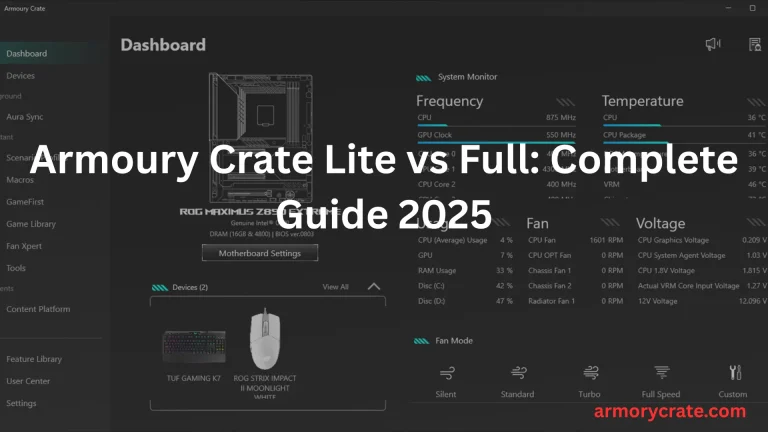
Armoury Crate is a free ASUS app for gaming laptops and desktops. It lets you control your computer’s performance, fan speed, and system temperature. You can also customize RGB lighting to match your gaming setup, all from one easy-to-use dashboard.
This app is beginner-friendly, so you don’t need to be a tech pro. Just open the Armoury Crate, pick your settings, and it works instantly. It also connects with ASUS tools like Aura Sync to personalize your device’s look and feel effortlessly.
What Is G-Helper?
G-Helper is a small and lightweight app made by an independent developer—not by ASUS. It’s mainly designed for people who use ASUS gaming laptops and want a faster, simpler way to control their system settings. Like Armoury Crate, G-Helper lets you switch performance modes, control fan speed, and keep an eye on your CPU and GPU temperatures.
However, since it’s not an official ASUS app, it doesn’t support all laptop models or features. It also may not receive updates as frequently. G-Helper is great for users who prefer speed and simplicity, but it might not be the best choice if you need full control over things like RGB lighting, game profiles, or advanced system tools.
Core Feature Comparison
Feature | Armoury Crate | G-Helper |
|---|---|---|
Developer | ASUS | Community (open-source) |
Fan control | Yes | Yes |
Power profiles | Yes | Yes |
Aura Sync (RGB) | Yes | No |
Bloatware/Telemetry | Yes | No |
Resource usage | High | Low |
Installation required | Yes | No |
Armoury Crate vs G-Helper
I’ve used both Armoury Crate and G-Helper on my ASUS laptop, just to see which one actually fits my needs better. G-Helper caught my attention first because it’s lightweight and quick—it launches fast, doesn’t feel bloated, and does the basics well.
But after spending some time with it, I realized I missed the full experience that Armoury Crate offers. It might be heavier, but it brings everything together—performance tuning, system monitoring, RGB control, and updates—all in one place. So in the end, I stuck with the Armoury Crate. It just feels more complete for someone who wants deeper control and smoother integration with ASUS hardware. Let me compare both in terms of individual features:
Performance and Resource Usage
G-Helper is a lightweight alternative. It runs fast, uses very little memory, and still lets you change performance settings. While it doesn’t have as many features as Armoury Crate, it’s great for users who want speed and simplicity. If you just need basic controls without slowing down your system, G-Helper is a nice choice.
Armoury Crate, developed by ASUS, is a more powerful and feature-rich solution. It gives you full control over performance, cooling, lighting, and more—all in one place. Though it uses slightly more resources, it delivers a polished and reliable experience. For gamers and advanced users who want deep customization and official support, Armoury Crate remains the top choice.
User Interface & Ease of Use
G-Helper has a simple and clean interface that’s easy to understand. It opens quickly, shows all key settings in one window, and doesn’t overwhelm the user with too many options. This makes it perfect for users who just want to tweak performance or fan speed without diving into complex menus.
Armoury Crate offers a more polished and visually rich interface, designed for a complete gaming experience. It includes detailed dashboards, customizable tabs, and built-in guides for new users. While it may take a little time to explore all features, once familiar, it becomes a powerful and user-friendly control center.
Customization & Control
G-Helper provides basic but effective customization options. You can switch between performance modes, adjust fan curves, and control some battery settings. It focuses on giving you just the essential tools, which makes it fast and easy to use, but it doesn’t offer advanced features like lighting control or per-app profiles.
Armoury Crate excels in customization and control. It allows you to fine-tune almost every aspect of your system. You can customize performance modes, fan behavior, RGB lighting, device synchronization, and even game-specific profiles. It’s built for users who want deep control and a personalized experience, especially for gaming and heavy multitasking.
System Compatibility & Updates
G-Helper is designed mainly for newer ASUS laptops and may not support all models. It is a third-party tool, so updates depend on community support rather than official channels. While it works well on supported systems, compatibility issues can sometimes arise after BIOS or driver updates.
Armoury Crate, being an official ASUS app, offers wide compatibility across most ASUS gaming laptops and desktops. It receives regular updates through official ASUS channels, ensuring better integration with firmware, drivers, and Windows updates. This makes it a more stable and reliable choice for long-term use, especially with frequent hardware and software updates.
Fan and Power Control
G-Helper offers a straightforward way to adjust fan profiles. You can manually set custom fan curves for different temperature ranges, helping you balance noise and cooling based on your needs. You can set it up in no time.
Armoury Crate goes a step further with advanced fan profile management. It includes multiple preset modes like Silent, Performance, and Turbo, plus the option to create fully custom fan curves. It also ties fan behavior to performance modes, helping your system adjust automatically during gaming or heavy tasks for optimal temperature and noise control.
Privacy and Stability
G-Helper is open-source and focuses on user privacy. It works entirely offline, doesn’t collect data, and doesn’t require background services that run continuously. It’s also known for being lightweight and stable, though occasional bugs may occur since it’s a community project without official ASUS support.
Armoury Crate, as an official ASUS tool, integrates deeply with your system and sometimes connects online for updates, news, or features like game libraries. While it provides more features, it may send usage data back to ASUS and occasionally faces stability issues like slow loading, especially after major Windows or driver updates.
When to Use Armoury Crate?
Armoury Crate should be used when you want full control over your ASUS laptop or PC. This suits more to power users and gamers who can take benefit by creating game-specific profiles, GPU stats, and built-in game libraries. It helps them to manage everything—performance, cooling, lighting, and hardware monitoring—in one unified dashboard. If you are using an ASUS ROG or TUF device, it is a blessing for you, as it is fully compatible with all features like Aura sync and BIOS updates.
When to Use G-Helper?
If you want a lightweight solution for your system, GHelper is for you. If you like simple performance and do not want to enjoy RGB lighting, Aura Sync, Aura Creator like advanced tools. If your system is old or lacks resources, G-helper will be helpful as it does not take too much resources. You can adjust its settings easily. You want to manage performance modes, fan curves, and battery settings without extra features or bloat.You have no worries for updates which are compatible with new devices.
Final Verdict
The things are quite clear. All pros and cons have been clearly compared. It’s quite easy to make the decision now. If your system has low specification and you want a lightweight solution to monitor system performance without any extra features, G-helper is a smart choice. And If you want full control over ASUS systems, Armoury Crate is the best choice.